• Link to Instagram
  • Link to LinkedIn
  • Link to Facebook
  • Support
  • Resource Center
  • News & Events
  • Blog
  • Pay Online
Cumulus Global
  • What We Do
    • Managed Cloud Services Provided by Cumulus Global
    • Cloud Computing Security, Privacy, Compliance, & Continuity
    • Collaboration, Productivity, & Transformation
    • Managed Infrastructure & Platforms
  • How We Do It
    • Understand & Assess
    • Cloud Computing Strategy & Planning
    • Cloud Migration & Deployment
    • Cloud Managed Services
    • Service & Support for Cloud and IT Solutions
    • Global Strategic Services
    • Guide, Educate, & Train
  • What We Offer
    • Managed Cloud Services
    • IT Admin, Service, and Support
    • Security CPR® Managed Security
    • Google Cloud Workspace / Education / Chrome / Voice
    • Google Cloud Platform Computing Services
    • Microsoft 365 and Office 365 Managed Services
    • Microsoft Azure
  • Who We Are
    • Our Mission
    • Our Team and Opportunities
    • Our Cloud Computing Partners
    • Our Reviews and Testimonials
    • Our Community
    • Our Sustainability
  • Click to open the search input field Click to open the search input field Search
  • Menu Menu

Google Cloud Workspace / Education / Chrome / Voice

Introducing Google Cloud Workspace

Working Together is now a Whole Lot Easier thanks to Google Workspace

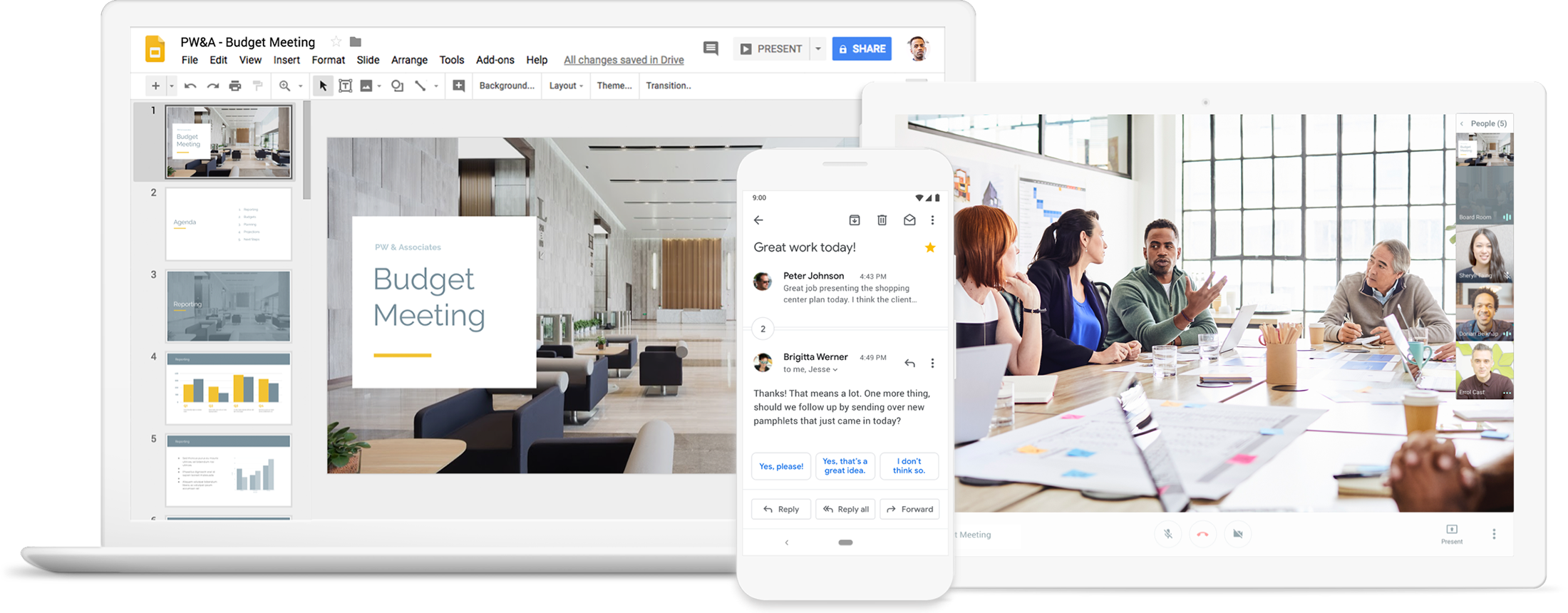
An integrated cloud workspace that’s simple to use, Google Workspace lets you spend less time managing your work and more time actually doing it.

Flexible solutions for every business: Work from anywhere, on any device – even offline – with tools to help you integrate, customize, and extend Google Workspace to meet your team’s unique needs.
Contact us
Google Workspace

Google Workspace | Chrome Enterprise | Google for Education | Voice

Google Workspace

Make decisions faster, face to face

Hangouts CallUse shared calendars to see when others are available and schedule meetings with automatic email invites.

With one click, turn your meeting into a video conference from any camera-enabled computer, phone, or tablet.

Share your screen to review your work as a team, and make decisions on the spot.

Collaborate in real-time

DocsEasily work on documents, spreadsheets, and slides across your devices, with or without internet.

Work in a single document with teammates or people outside your company. See edits as others type, communicate through built-in chat, and ask questions in comments.

Multiple people can work at the same time, and every change is saved automatically.

Store and share files in the cloud

DriveKeep all your work in one place with secure access from your computer, phone, or tablet.

Quickly invite others to view, download, and collaborate on any file – no email attachment needed.

File updates are automatically saved and stored in Drive, so everyone can always have access to the latest version.

Secure your data and devices

AdminProtect your company’s data with security options like 2-step verification and single-sign-on, and use endpoint management to keep your data safe in the case of a lost device or employee turnover.

Archive email messages and on-the-record chats, and control how long they are retained.

Easily configure security settings from a centralized administration console, and call or email Google support for help 24/7.

Everything you need in one package.

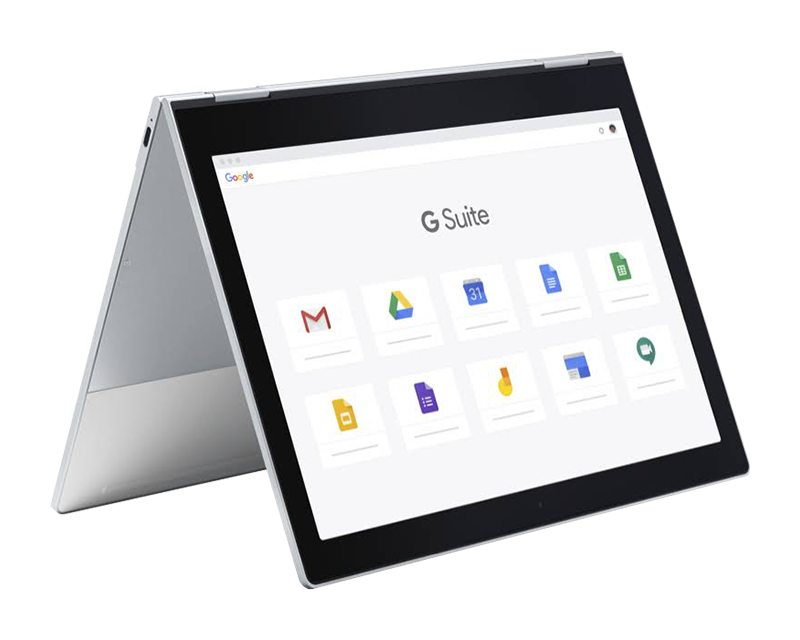
G Suite Device Lineup Showcase
Compare Google Workspace Plans and Pricing
Get More Info about Google Workspace
Google Workspace 1-Page Overview

Chrome for Enterprise

Provide a secure and reliable computing experience for employees to work effectively from anywhere with Chrome devices. Lower total cost of ownership and ease of management free IT from mundane tasks – free to innovate and have more impact.

  • Chrome OS

    Chrome OS is a versatile and mobile cloud-native operating system that is secure, easy to use and manage, and provides fast access to cloud apps, regardless of Chrome device or location.

  • Chrome Browser

    Chrome Browser provides a trusted, consistent browsing experience across devices, with built-in protections, centralized management, and enterprise-wide controls for IT admins.

  • Chromebooks for your enterprise

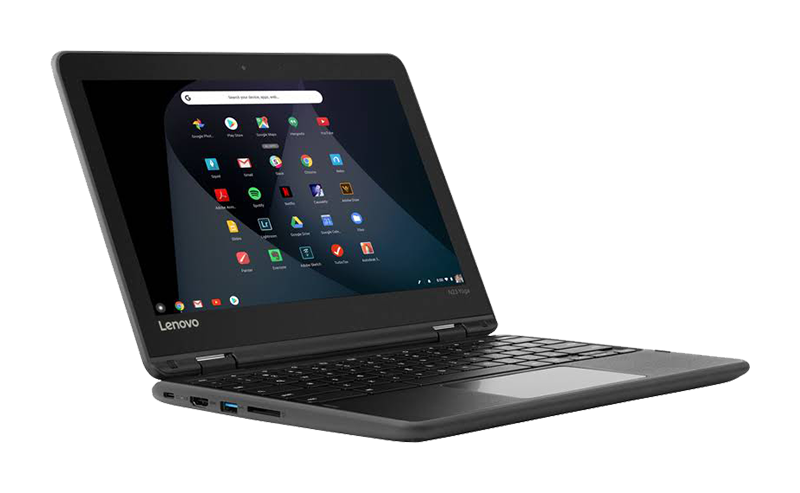
    Choose from a wide variety of Chromebooks, including touch and convertible. Each device is built to enable every cloud worker, from the office to the frontline.

Build. Modernize. Scale. Transform Your Business.

Chrome Enterprise illustration
Get More Info about Google Chrome

Google for Education

  • Google Workspace for Education

    Transform how educators and students learn, work, and innovate together with free, secure tools from Google Workspace for Education.

  • Classroom

    Make teaching more productive, collaborative, and meaningful.

    Google worked with educators across the country to create Classroom: a streamlined, easy-to-use tool that helps teachers manage coursework. With Classroom, educators can create classes, distribute assignments, grade and send feedback, and see everything in one place.

  • Chromebooks

    Make learning more effective and engaging with Chromebooks.

    With the right tools, students can achieve any goal. That’s why we created Chromebooks: simple, secure, and shareable devices that teachers and students can use to create and collaborate.

  • Virtual and Augmented Reality

    Expand what’s possible in your classroom.

    Imagine taking your students to the top of Machu Picchu, sending a whirling tornado through their desks, or helping them share their own stories with classmates. With virtual reality (VR) and augmented reality (AR), you can add a new dimension to your curriculum.

Get More Info about Google for Education
Get More Info about Google for EDU Partner Services
Chromebook for Education
Google for Education
Get More Info about ChromeCycle Services

Voice

Stay connected, organized, and on task with an easy-to-use phone solution that fits organizations of any size.

  • Keep in touch, everywhere

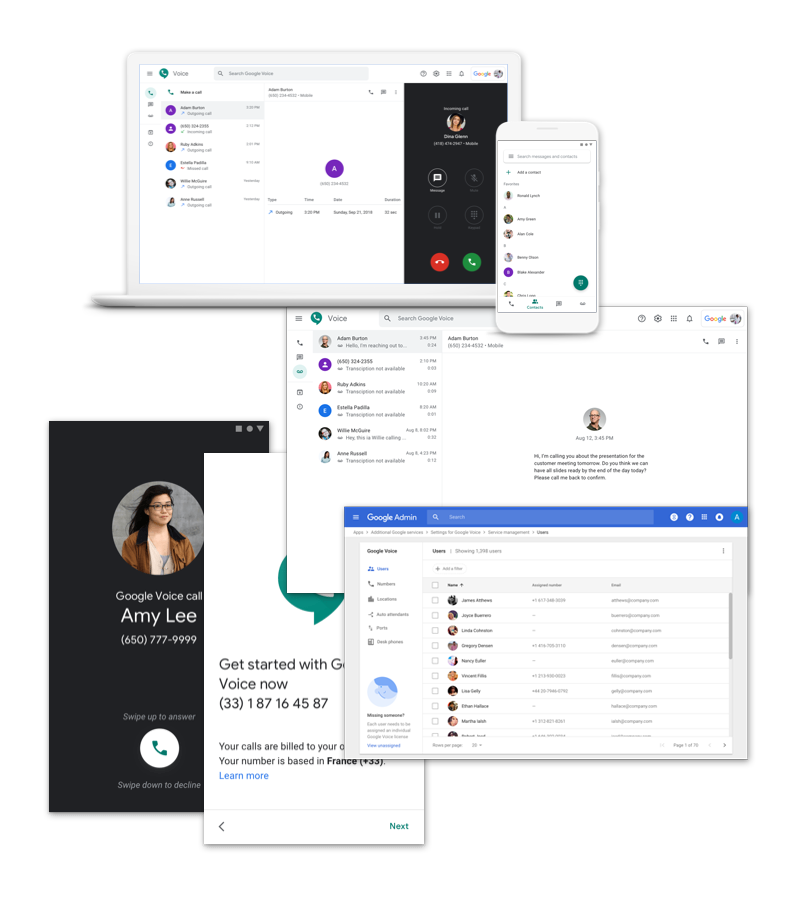
    Voice makes work calls less work. Make and receive phone calls using a work number on any device, anywhere. Start communicating more effectively.

  • Simple

    Voice can be customized to fit your day-to-day workflow. Number assignment, porting, and billing are neatly consolidated in the familiar Google Workspace Admin console.

  • Smart

    Google’s powerful AI filters spam calls, transcribes voicemail automatically, and lets you configure your PBX. Integrations with Hangouts Meet and Calendar keep the focus on what’s important.

  • Scalable

    Voice can be deployed instantly — and globally — from anywhere, with less administrative work.

Voice illustration

Learn More About Google Workspace Solutions

RSS Google Workspace Updates

  • Record presentations in Google Slides with Google Vids August 20, 2026
    We are introducing a seamless way to record presentations in Google Slides using Google Vids directly from the Slides interface. Moving forward, you will see a new Record option in the right-hand menu of Slides. Selecting this option guides you through a streamlined recording workflow and outputs an immediately shareable link.This new integration provides advanced […]
  • View Google Chat usage metrics in Gemini reports dashboard August 20, 2026
    Admins can now access Google Chat usage metrics in the Gemini reports dashboard across both organization- and user-level reports.At the organization level, this allows admins to track active Gemini users in Google Chat, analyze usage trends, and identify who benefits most from Gemini-powered summarization and generation features.At the user level, admins can now view the […]
  • Allowlisted Domains API now generally available August 20, 2026
    The Google Workspace Allowlisted Domains API is now generally available. Previously, administrators had to manage their allowlisted domains list manually through the Google Workspace Admin console. With this release, hosted under the Cloud Identity API suite as a top-level resource, organizations can securely automate and programmatically manage their list of allowlisted domains.By programmatically managing trusted […]
  • Granular space creation restrictions now available in Google Chat August 20, 2026
    We are introducing a new admin setting in Google Chat that allows administrators to restrict specific users or groups from creating spaces, while continuing to permit them to create 1:1 direct messages (DMs) and group direct messages (gDMs).Previously, Chat restriction settings functioned as a single all-or-nothing toggle, which disabled all conversation creation. With this update, […]
  • Introducing Ask Gemini in Chat: your new partner in productivity August 19, 2026
    Google Chat is the central hub for real-time collaboration in Workspace, and starting August 26, 2026, it becomes the place where you can bring the power of Gemini into your flow of teamwork. We’re introducing Ask Gemini in Google Chat, a unified command line for your work, powered by Workspace Intelligence.Ask Gemini in Chat helps […]

Google Cloud

Google
Blogs

RSS Google Workspace Blog

  • Bring your spreadsheet data to life with Sheets canvas August 13, 2026
  • The latest AI news we announced in July 2026 August 4, 2026
  • Create, edit and star in videos with two Google Vids updates July 16, 2026
  • Gemini can now take notes in Google Meet for Google AI Pro and Ultra subscribers. June 29, 2026
  • A new experiment brings better group meetings to Google Beam May 20, 2026

RSS Google Workspace Updates

  • Record presentations in Google Slides with Google Vids August 20, 2026
  • View Google Chat usage metrics in Gemini reports dashboard August 20, 2026
  • Allowlisted Domains API now generally available August 20, 2026
  • Granular space creation restrictions now available in Google Chat August 20, 2026
  • Introducing Ask Gemini in Chat: your new partner in productivity August 19, 2026

RSS Google Chrome Blog

  • Tap into the power of Gemini in Chrome on Android. August 18, 2026
  • We’re expanding Gemini in Chrome to users in the U.K. July 14, 2026
  • Chrome is bringing advanced autofill capabilities to your phone with Google Wallet June 23, 2026
  • We’re expanding Gemini in Chrome to users in Latin America, Africa, the Middle East and more. June 10, 2026
  • Bringing the best of Gemini in Chrome to Android May 12, 2026

RSS Chromebooks Blog

  • Building AI tailored for education, with educators in the lead June 25, 2026
  • Here's how accessibility tools and Gemini are helping students find independence May 21, 2026
  • New ChromeOS tools to support classroom collaboration January 21, 2026
  • GeForce NOW and Chromebook are launching an exclusive Fast Pass. November 20, 2025
  • Acer’s new Chromebook Plus Spin 514 is here with powerful AI features October 14, 2025

RSS Google for Education Blog

  • Back to School 2026 August 19, 2026
  • Start the semester with one year of Gemini, on us August 19, 2026
  • 5 new ways to level up your learning with Search August 19, 2026
  • Keep your SAT prep on track with practice tests in Gemini. August 18, 2026
  • 13 Google tips for a fun, productive summer off from college July 21, 2026

What We Offer

  • Managed Cloud Services Provided by Cumulus Global
  • Cloud Forward IT Service and Support
  • Security CPR® Managed Security
  • Collaboration, Productivity, & Transformation
  • Managed Infrastructure & Platforms
  • Microsoft 365 and Office 365 Managed Services
  • Microsoft Azure
  • Google Cloud Workspace / Education / Chrome / Voice
  • Google Cloud Platform Computing Services
  • Cloud Voice and Unified Communications

Phone / Fax / Email

  • 866-356-1202
  • 508-948-4070
  • info@cumulusglobal.com

Headquarters / Boston

  • Street Address

    4 Bellows Rd / 2nd Floor
    Westborough, MA 01581

  • Mailing Address

    PO Box 1129
    Westborough, MA 01581-6129

Regional Offices

  • Southeast Office

    120 W Trinity Pl
    Decatur, GA 30030

Copyright © 2026 - Cumulus Global | Privacy Policy | Terms of Service | Disclaimer | Website by Cold Spring
Scroll to top Scroll to top Scroll to top