
Does Team Drives + Drive File Stream = File Server?
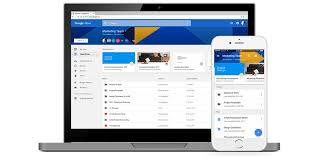 Last month, Google (finally) released Drive File Stream. Unlike the Drive Sync Client it replaces, Drive File Stream provides “mapped drive” access to files in Drive. In doing so, you can browse, search, and use Drive like you would any mapped drive through Windows File Explorer and Finder on Macs. By mapping and using a cache, you have access to all of your Drive contents without having to sync all of your content to your device. While you can still select files and folders to sync for offline access, the Drive File Client gives you and your local applications access to your files in Drive.
The Real Value is with Team Drives
As a second improvement over Drive Sync Client, Drive File Stream connects you to both your “My Drive” and “Team Drive” hierarchies. The integration with Team drives, in particular, adds specific value. Team Drives provide file sharing hierarchies that include many traits of a traditional file serves. With Team Drives, the system owns the space and administrators centrally manage permissions. You can grant members of Team Drives limited administrative rights and you can control which members can view, comment, and edit files and folders. Permissions are hierarchical with inheritance pushing permissions down to subfolders and files.
Combining Team Drives and Drive File Stream gives you a “file server like” experiences. You use your local apps, browsing and searching for files in Explorer or Finder. You open, work with, and save files like you do for local files and files on traditional file servers. You manage permission by Team Drive and your folder hierarchy. And while you do not have all of the granularity with Team Drives as you do with a Windows File Server, for example, you have enough to build a managed file service. Because of the differences in permissions granularity, you are more likely to have more Team Drives than you might have top level folders on a traditional file server.
Does Team Drives + Drive File Stream = File Server?
Combining Team Drives and Google File Stream does not give you all of the features and functions of a traditional file server. By creating a managed file service, however, you do have the power to manage access and use of your data and information. And better than a traditional file server, your managed file service will server the needs of user with local, traditional applications and those working in the cloud.
Best Practice: Plan your team memberships and permission, hierarchies, and management strategies before you start building your Managed File Service using Team Drives and Drive File Stream. Contact us for a Cloud Advisory session to discuss your needs and project.
