Google Jamboard Shutdown – Save Your Jams
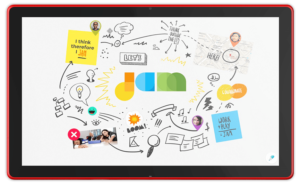 As previously announced, Google is shutting down Jamboard on December 31, 2024. Even if you never bought a physical Jamboard, the Jamboard app has bounced around the Google Workspace ecosystem for a while as both a stand-alone app (jamboard.google.com) and as the whiteboarding tool in Google Meet.
Jamboard’s end-of-life is December 31, 2024. This is the last day you can migrate any Jam files to a supported partner application. After this date, files will begin to be deleted, and you will lose access to your saved Jams.
If you have used Jamboard, this change is significant. If not, now is a good time to check out third-party whiteboarding collaboration tools to see if they can enhance your meetings, interactions, and collaboration.
Evaluating Alternative Whiteboard Applications
Choosing the right alternative whiteboard application requires thoughtful consideration of several factors:
- Assess Team Needs: Identify your team’s specific requirements. Are tool integrations essential, or is real-time collaboration across different devices a priority?
- Review Usability: Evaluate the usability and learning curve of each option to minimize disruption to workflows.
- Consider Costs and Scalability: Look at both costs and scalability limitations, especially if your organization is likely to grow.
Three Recommended Tools
Three popular alternatives to Jamboard include FigJam, Lucidspark, and Miro. Each offers unique features designed to support collaboration and creativity.
- FigJam: Known for its intuitive and user-friendly interface, FigJam is ideal for teams looking to brainstorm and ideate virtually. It integrates seamlessly with Figma, making it an attractive option for design-focused teams. FigJam supports real-time collaboration, sticky notes, and a variety of templates that can speed up the creative process.
- Lucidspark: Lucidspark is a versatile platform that emphasizes visual collaboration. It offers features like voting, commenting, and breakout boards, which can enhance team productivity. Lucidspark is designed to accommodate both small teams and large organizations, with robust integrations into various project management and productivity tools.
- Miro: Miro is renowned for its comprehensive set of tools aimed at enhancing team collaboration. It offers a wide array of templates, extensive integration capabilities, and supports interactive presentations. Miro’s strong emphasis on team management and project tracking makes it an ideal choice for larger teams or organizations looking for an all-in-one solution.
Your Action: Export or Migrate Your Jam Files
To preserve important Jamboard content, you can migrate your Jam files to one of these partner platforms. Each platform has an easy migration process, allowing you to continue your projects and activities with minimal disruption.
To move Jamboard files to a new whiteboard application, follow these steps:
- Educate and Train: Provide training sessions to help your team adapt to the new application. Many platforms offer tutorials and webinars for new users.
- Plan Ahead: Start the transition process soon to avoid the end-of-year rush. Allow time to address any challenges or questions.
- Leverage Support: Use the new product’s customer support services. They can provide valuable assistance to facilitate your migration.
- Monitor and Adjust: After migration, monitor how well the new platform meets your needs. Make adjustments as needed to optimize its use.
Following these steps, you can ensure that your transition from Jamboard is as seamless and efficient as possible, allowing your team to continue collaborating without interruption. As always, feel free to send an email or schedule time with one of our Cloud Advisors for assistance.
About the Author
 Christopher Caldwell is the COO and a co-founder of Cumulus Global. Chris is a successful Information Services executive with 40 years experience in information services operations, application development, management, and leadership. His expertise includes corporate information technology and service management; program and project management; strategic and project-specific business requirements analysis; system requirements analysis and specification; system, application, and database design; software engineering and development, data center management, network and systems administration, network and system security, and end-user technical support.
 G Suite Enterprise for Education Savings