3 Alternatives to Google Notifier

GoogleNotifierInstall
Google Notifier is going away.  But, you do have options for see and preview new Gmail messages, and to receive Calendar notifications on the desktop.

To get started, uninstall Google Notifier before it no longer functions

Unread Email Count at a Glance

Install the Google Mail Checker application for Chrome to see your unread email count at a glance.

Desktop Gmail Notifications

You can setup Desktop Notifications in your Gmail account by following these instructions.

Desktop Calendar Notifications

While still in the Calendar Lab, you can enable Gentle Reminders, which will let you see calendar notifications from your desktop.  To do so:

1) Go to your Calendar’s settings > Labs > Enable Gentle reminders > Save.

2) Go back to the “General” settings page and make sure that “Show floating desktop notifications” is checked.


Classroom Results Improve with Google Apps Professional Development

Eduscape Logo
Cumulus Global and Eduscape Learning Partnership Delivers Certified Educator Training

Following successful participation at last week’s FETC 2014 conference, Cumulus Global today announced a strategic partnership with Eduscape Learning, offering comprehensive professional development programs for schools and districts using Google Apps for Education.  The partnership combines Eduscape Learning’s existing professional development services and Google Apps Certified Trainers with Cumulus Global’s experience and “Google Guides” peer resource program.  Beyond basic use of Google Apps, the firms offer a multi-track curriculum that focuses on the needs of teachers, administrators, and student interaction.

“We provide professional development to teachers and administrators, giving them a practical path to facilitate technology integration into the curriculum, including Common Core Standards,” noted Alex Urrea, Managing Partner Eduscape Learning. “Our workshops, delivered by former educators, provide classroom teachers with useful strategies to create engaging lessons for 21st century learners.”

Instead of relying on canned digital curriculum offerings which take creativity and differentiation out of the teacher’s hands, Eduscape Learning’s workshops help teachers facilitate collaboration and communication in the classroom to support curriculum outcomes.

In addition to Eduscape Learning’s proven courses and workshops, more schools and districts have access to Cumulus Global’s “Google Guides” program.  Google Guides is a peer-to-peer resource program for schools and districts that want to leverage best practices in support of successful adoption of Google Apps during and after deployment. The Google Guides program improves the migration and adoption process by providing advanced education to tech-savvy faculty and thought leaders within the school.

“Moving to Google Apps for Education and deploying Chromebooks is not the end point,” stated Allen Falcon, CEO of Cumulus Global.  “Once in place, Google Apps is a platform that facilitates improved learning outcomes.  The key to success is empowering faculty and administrators to leverage the collaborative features of Google Apps.”

Cumulus Global and Eduscape Learning deliver workshops in a blended format using an onsite, face-to-face model combined with web-based offerings that increase and support teacher adoption.

About Eduscape Learning
Eduscape Learning is a company whose primary goal is to advance 21st Century Skills in the classroom. Comprised of primarily educators, we make classroom technology relevant for students and teachers by taking a curriculum-driven approach to professional development.


Managing Web Meetings and Hangouts


As more organizations adopt Hangouts and other web meeting tools, some of the etiquette rules common for in-person meetings warrant an updated (or just a friendly reminder).

Here are 5 ways to better manage web meetings

1) Understand and Manage the Technology

Make sure you understand how to use the technology and take time to hold practice meetings to tune your skills.  In addition to leading the meeting, you may need to manage features such as mute, document sharing, desktop sharing, chat, and questions.  You may also be managing which video feed attendees see by default.  Controlling these features while conducing a meeting takes practice.  In some cases, you may want to have a “producer” work the controls for you.

2) Define Your Purpose and Outcome

All meetings should have a purpose.  Before scheduling the meeting, define your purpose. Whether to discuss an issue, review status, or make decisions, communicate the purpose clearly with invitees and set expectations so that people arrive on time and prepared.

Consider the desired outcome as well.  Who are the key stakeholders and who are the influencers?  What do you want attendees to think or do after the meeting?  Keep in mind that “Deciding between A and B” is a different desired outcome than “Decide to do A and not B”.

3) Be Professional

Preparation is critical.  More than an agenda, provide invitees with appropriate background materials and sufficient time to review and formulate questions or concerns. Solicit input and suggestions of issues that may arise in the meeting so that you may address or alleviate these before the meeting.

4) Make Your Points; Support Your Ideas

During the meeting, present and speak confidently.  It is fine to be assertive, but not aggressive or defensive.  Be clear.  Be concise.  Organize your thoughts and make your point in a concise statement.  Continue with supporting information as needed.

Questions will be asked.  Expect them, be ready to answer, have your supporting facts and opinions, and don’t take them personally.

5) Manage Conflicts and Stay in Control

Conflicts will happen.  While never desirable and sometimes unpleasant, with sound preparation and confident meeting skills, conflicts can be managed.

Understand who is attending the meetings and, as much as possible, their priorities and viewpoints.  After providing an agenda and supporting materials in advance, solicit invitees for issues and concerns.  Don’t wait for the meeting; start to work on resolving them before the meeting.

If conflict is anticipated, or arises during the meeting, step back and introduce more formality.  Refresh the structure of the meeting and how people can best participate.  Keep the meeting focused on the agenda, and control the microphones if needed to maintain order.

With planning and practice, web meetings will take advantage of the convenience and ability to share information dynamically, without sacrificing decorum and effective outcomes.


Cumulus Global Offers Solutions and Seminars at FETC 2014

FETC-2014Visitors to FETC in 2014  in Orlando later this month have a unique opportunity to learn how Google Apps for Education can serve as platform for robust administrative and classroom computing.
Cumulus Global (Booth #256) is hosting a series of in-booth seminars covering a range of topics from system administration, data protection, and security, to 1:1 program design and professional development for faculty.  Cumulus Global is webcasting the sessions as well, for those unable to attend FETC in person.

With more than a dozen sessions, Cumulus Global intends to offer attendees new perspectives on how schools can effectively Deploy solutions, Gear Up with the best devices and infrastructure, and Transform the learning process.

Session presenters include experts from Backupify, Bettercloud, CloudLock, Edsby, and Eduscape Learning.

Click Here for more information, or to register for one or more of the webcasts. Feel free to Contact Us with any questions.

As a featured exhibitor, Cumulus Global is able to offer the following discount codes for FETC 2014 attendees:

  • Register using code FREE974 for your free Exhibit Hall Pass and access to the Learning Labs, a $50 value.
  • Register using code EDUCATE to save $60 on FETC Full Conference Registration.

Google Presentations Getting Better with Master Slide

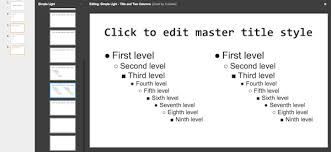
masterslideSince its launch, Google Docs has often been criticized for its lack of maturity when compared to Microsoft Office. With major upgrades to Documents and Sheets, the gap has certainly closed quite a bit over the past 18 months.

This months, Google Slides takes a giant leap forward as well, with the addition of the Master Slide feature.  With the ability to create a master template, specific to your presentation, you no longer need to edit common elements on every slide.

This video from Google provides and overview and demo.


Cloud File Sync & Sharing: Risks and Solutions (Part 3)

Secure Cloud
This blog post is the third in a series on the data risks and solutions available for file sync and sharing services.

In the first two posts in this series, we focused on some of the risks and basic concepts for file sync and sharing services.  In this post, we focus on ways to mitigate risks.

Provide Employees with an Approved File Sharing Service. As we have noted in our prior posts, if you do not provide an approved service, employees will sign up for and use one of their own.  The difference?  With an approved services, you have access to your employees’ data and clear ownership of the information.  You can also monitor and manage for adoption, usage, and (if desired) adherence to policies.

Have a Clear Policy. Let employees know that personal and company data and systems are to remain separate, and why.  Provide a list of approved file sharing and sync services, as well as a clear an concise statement which other services may not be used (i.e., all others) and why.  The policy should include consequences for violations, along with a means for approved exceptions.

Block or Blacklist Unauthorized Tools. For many organizations without decent web filtering services in place, this recommendation will be difficult to implement.

Audit Workstations for Unauthorized Use.  Beyond application monitoring, when you scan workstations for application inventories, look to see if sync service agents have been installed.

With a moderate planning effort and reasonable monitoring and enforcement efforts, businesses can take advantage of the conveniences that file sharing and sync services offer, without exposing data to unnecessary risk and loss.


Cloud Backup: Small Businesses Hesitate at their Own Peril

Cloud Backup
According to a recent survey of IT service firms conducted by The 2112 Group, small and mid-size businesses (SMBs with up to 250 employees) do not respond to most marketing efforts.  The lack of interest appears to be due to underlying concerns about data security, bandwidth, availability, and recurring costs.

Not surprisingly, SMBs become interested in cloud backup after a data loss or downtime. Having experienced disruption or loss, SMBs better understand the cost of a failed recovery compared with the cost of adequate protection.

Businesses that move to cloud backup sited their primary motivations as:

  • Improved data protection and business continuity (34%)
  • Better overall IT reliability (20%)
  • Reduced IT costs (16%)

The challenge for us, as a cloud solutions provider, is to meet our customers’ objectives while addressing issues of security, bandwidth, availability, and cost.

The challenge for SMBs, as our customer or prospective customer, is to recognize the value of cloud-based backup before a crisis.  And, understand that by offering a range of solutions, we can ensure data integrity while keeping costs in-line.


Is Your E-Waste Part of the Solution?

4thbin logo
According to a recent report by “Solving the E-Waste Problem (StEP) Initiative”, a coalition of United Nations agencies, governments, non-profits, and science organizations, the amount of e-waste generated will increase by a third in just the next five years.

And, unfortunately, much of the e-waste ends up in poor countries, polluting water and food supplies and contaminating poor workers that strip the waste for precious metals without protection from the hazardous chemicals and materials.  If your e-waste is being picked up for free, chances are it’s being dumped.

Your, e-waste, however, can be part of the solution.  By only working with certified e-waste recyclers and handlers.  Look for the e-Stewards and R2 certifications, along with ISO 14001 credentials.

For our customers in the New York metro area, we partner with The 4th Bin for responsible e-waste recycling.  Not in the area?  Contact The 4th Bin; they will help you find an e-Steward certified e-waste processor near you.


The 5 Most Trusted & Banned 3rd Party Apps for Google Apps Domains

CloudLock
One of the benefits of Google Apps is the ability to integrate third-party applications.  One of the risks when using Google Apps, is that some third-party applications may request access to information and privileges that you do not want them to have.

In addition to letting you identify, approve, and block third-party application access to Google Apps data, CloudLock Apps Firewall provides a trust rating.  The Trust Rating lets you know what percentage of Apps Firewall users allow or ban each application.

Here are the top five Trusted applications:

  • Google Drive
  • www.google.com
  • Picasa
  • Google Chrome
  • Android Calendar

Here are the top five Banned applications:

  • Mailbox
  • Dropbox
  • 8 Ball Pool
  • Angry Birds
  • Chrysalis Animation


CIOReview names Cumulus Global a Top 20 Education Tech Solution Provider

The Navigator for Enterprise Solutions
Annual list showcases the 20 most promising education technology solution providers.


Boston, MA, December 13, 2013 – CIO Review (www.cioreview.com) has selected Cumulus Global (www.cumulusglobal.com) as one of CIOReview’s 20 Most Promising Education Tech Solution Providers.  The annual list, published in CIOReview’s December issue, identifies solution providers offering innovative, value-add solutions to the education market.  CIOReview’s selection panel and editorial board selected Cumulus Global after reviewing the company’s growing portfolio of cloud-based solutions for K-12 and higher education, as well as Cumulus Global’s track record of success.

“Cumulus Global is helping transform the in-classroom learning process,” stated  Harvi Sachar, Publisher & Founder of CIO Review. “Beyond helping schools move to Google Apps for Education and deploying Chromebooks in the classroom, Cumulus Global delivers the professional development and consulting services necessary to use the technology in a transformative way.”

Cumulus Global assists schools and districts with both educational and administrative computing initiatives.  The company’s services extend beyond the technology to include policy and administrative guidance for Google Apps for Education deployments, staff development, and 1:1 programs.  Examples of these services include: the company’s Google Guides program, which creates a peer-to-peer support team within the school, and 1:1 program policy guidance, asset planning, and financing services.

“We are honored that CIOReview recognizes our work with schools, nationally, as innovative and forward thinking,” noted Allen Falcon, CEO of Cumulus Global.  “We continue to learn from schools about how they want to improve the learning process and outcomes.  We will continue to find and deliver solutions that enable success.”

Cumulus Global is a Google Apps Premier SMB Reseller and an authorized reseller for Google Apps Vault and Chromebooks for Education.

About CIO Review
CIO Review (www.cioreview.com) constantly endeavors to identify “The Best” in a variety of areas important to tech business. Through nominations and consultations with industry leaders, our editors choose the best in different domains. Top 20 CIOReview Education Tech Solution Provider is a listing of 20 Most Promising Education solutions companies in the U.S.