Moving Cloud Gets Real

SMB Cloud Tipping PointCloud Computing is reaching a tipping point for small and midsize enterprises (SMEs) as the number and value of cloud-based applications and systems surpasses those running on site. Beyond email, SMBs use Software-as-a-Service solutions for customer relationship management, operations, finance, customer service, and vendor/supply chain management. SMBs want better integration between SaaS solutions and custom-built solutions to further enhance operations, marketing, sales, and the bottom line. Over the next few years, bots, machine learning/AI, and business intelligence will become the norm for SMBs as well as larger enterprises.

SMBs are moving core systems, infrastructure, and services to the cloud.

If all you have left on premise are your Active Directory services, some of your file and print servers/services, and a few business applications, moving your remaining IT services to the cloud makes sense. You can provide the same applications, data, and services without maintaining the physical infrastructure while enabling better integration of systems, processes, and information.

3 Strategies

You have three basic strategies to choose from when moving apps and systems to the cloud:

  • Beautify
    • Also referred to as “lift and load”, this strategy works best when you have (1) a custom-built application; (2) a customized system that cannot migrate to the vendor’s SaaS offering; and/or (3) a solution you do not want to further modify or rebuild as a cloud app.
    • In this scenario, we create cloud-based networks and servers to host and run your existing systems “as-is” with remote, secure access.
    • This option is an effective interim step to a more complete cloud solution.
  • Buy
    • In this scenario, you “buy” a SaaS solution from your current software vendor or move from your existing system to a new SaaS solution.
    • Your ability to “buy” depends on the capabilities of the SaaS solution(s) versus your current system usage and needs. For example, many businesses find that the SaaS version of Quickbooks lacks features and reports that they need an use.
  • Build
    • As the name implies, build means you are replacing an app or system with a new, cloud-based solution.
    • With the current evolution in bots, machine learning, artificial intelligence, and tools, many of your existing processes can be automated by cloud-native services with little or no traditional programming.
    • No-code and low-code solutions are the wave of the future.

Next Steps

Which strategy, or combination of strategies, is best for your business depends on several factors, starting with business goals, objectives, and priorities. Current capabilities, needed features/functions, competitive positioning, internal culture, cost, and value all come into play. When you properly plan and execute your cloud migration, you should see tangible and intangible benefits.


Contact us to discuss the possibilities and opportunities for your business.


Pumpkin Spice Cloud Solutions

Pumpkin Spice Brake PadsIt doesn’t just happen. It seems to become a bigger and bigger thing over time. More feel like they are missing out. More try to join in. Many see an opportunity and try to ride the perceived popularity. And many get turned off because of personal taste or even just to buck the trend.
Such is the tangential arc of fads and trends. And, unfortunately, such is the way many small and midsize businesses approach the cloud. 

There is little doubt that Cloud Computing is a trend that is quickly evolving into a “real thing” with staying power. Many “experts” insist it is the “thing to do”. And while we do not disagree with these experts — we do believe that cloud is the best strategic and tactical direction for most (not all!) businesses — approaching cloud as a trend in which we need to participate is the wrong approach. SMBs that get caught up in the “trend” will miss the long term opportunities and will do more harm than good.

Small and Midsize Businesses are Different!

Much of the hype around “Digital Transformation”, machine learning, augmented reality, and artificial intelligence focuses on the enterprise. Yes, these capabilities will make it to SMBs and cloud will help accelerate the availability and adoption. SMBs, however, do not generally have the resources to run DevOps teams and rebuild or build custom applications.  SMBs rely much more heavily on SaaS and packaged solutions.

For SMBs the challenge is to pick the application or system that fills the need, and integrate that application or system into the overall ecosystem. Microsoft, Google, Salesforce.com, and others are creating ecosystems that foster integration within the ecosystem, but offer less support for solutions outside the multi-vendor boundaries they create.

A Cloud Forward Approach

Given this reality, a forward-looking approach is critical to your cloud success.  Your IT should clearly help you achieve your business goals and objectives. Your goals and objectives are forward looking, so too should be your IT and cloud decisions. For many SMBs, the first major decision is which cloud, and the initial focus is on productivity.  Do you go Office 365 and build your ecosystem around Microsoft 365 and Azure?  Do you deploy G Suite and look to deploy apps and systems Google Cloud Platform? Are you using Salesforce.com and will you limit yourself to solutions on the force.com platform? Are you looking at services or solutions that run on Amazon Web Services, and if so, how do those fit in?

Cloud Forward starts by asking the question “Which Cloud?”.  To answer, we map business goals and objectives into technology-driven objectives that, in turn, guide your decisions. Knowing that “cloud” is not simply “what we have running someplace else”, we actively assess other factors that should guide your decision — the structure of your information, your company structure, the culture your have or want, your existing applications and systems, industry-specific solutions, mobile and remote work, and more. We look ask uses about their preferences and what tools they feel make them most productive. And, we look at the near-term and long-term integration required to create a holistic solution.

Without a comprehensive assessment and understanding, your cloud solution will behave like a fad — a trend that fades.  By looking Cloud Forward, you can avoid the hype and fluff. You will focus on substance and will realize tangible results.


Contact us for more information or a complementary Cloud Advisor Session. For a customized Which Cloud Analysis and Recommendation, please complete our Which Cloud Survey. We are waiving the $895 fee through the end of 2017.


Does Team Drives + Drive File Stream = File Server?

Drive File StreamLast month, Google (finally) released Drive File Stream. Unlike the Drive Sync Client it replaces, Drive File Stream provides “mapped drive” access to files in Drive. In doing so, you can browse, search, and use Drive like you would any mapped drive through Windows File Explorer and Finder on Macs. By mapping and using a cache, you have access to all of your Drive contents without having to sync all of your content to your device. While you can still select files and folders to sync for offline access, the Drive File Client gives you and your local applications access to your files in Drive.

The Real Value is with Team Drives

As a second improvement over Drive Sync Client, Drive File Stream connects you to both your “My Drive” and “Team Drive” hierarchies. The integration with Team drives, in particular, adds specific value. Team Drives provide file sharing hierarchies that include many traits of a traditional file serves. With Team Drives, the system owns the space and administrators centrally manage permissions. You can grant members of Team Drives limited administrative rights and you can control which members can view, comment, and edit files and folders. Permissions are hierarchical with inheritance pushing permissions down to subfolders and files.

Combining Team Drives and Drive File Stream gives you a “file server like” experiences. You use your local apps, browsing and searching for files in Explorer or Finder. You open, work with, and save files like you do for local files and files on traditional file servers. You manage permission by Team Drive and your folder hierarchy. And while you do not have all of the granularity with Team Drives as you do with a Windows File Server, for example, you have enough to build a managed file service. Because of the differences in permissions granularity, you are more likely to have more Team Drives than you might have top level folders on a traditional file server.

Does Team Drives + Drive File Stream = File Server?

Combining Team Drives and Google File Stream does not give you all of the features and functions of a traditional file server. By creating a managed file service, however, you do have the power to manage access and use of your data and information. And better than a traditional file server, your managed file service will server the needs of user with local, traditional applications and those working in the cloud.


Best Practice: Plan your team memberships and permission, hierarchies, and management strategies before you start building your Managed File Service using Team Drives and Drive File Stream. Contact us for a Cloud Advisory session to discuss your needs and project.


Picking the Right Google Drive Client

Google DriveToday is the day that Google makes Drive File Stream generally available to all G Suite users. As of December 11, 2017, Google will fully deprecate and end support for the old Google Drive Client that has, up until now, provided users with the ability to sync and share files between Drive and their devices. Recently, Google also released Backup and Sync.

Which Drive Client is Right for You?

Briefly, Backup and Sync is a personal utility that Google has publicly classified as a “consumer” tool. Drive File Stream is a support part of G Suite and is designed for business users. For most businesses, even small businesses, Drive File Stream will be best. While Drive File Stream will not let you sync other local folders, it will provide “native drive” access to both My Drive and Team Drives. This style of access gives you nearly universal access to files in Drive from local applications, without large sync directories and large local storage demands.

A Deeper Look

Feature Drive File Stream Backup and Sync
Access files in My Drive Y Y
Access files in Team Drives Y
Stream files on demand Y
Sync only selected folders in My Drive Y Y
Sync only individual files in My Drive Y
Use native applications like MS Word and Photoshop Y Y
Sync other folders, such as Documents or Desktop Y

Better Look and Feel

Drive File Stream will have a new look on your local machine, instead of syncing between a “Google Drive” folder and My Drive, Drive File Stream will appear as a local disk:

  • Mac: Google Drive appears in Finder under Devices
  • Windows 7: Google Drive appears in Explorer as a mounted drive under My Computer and Favorites
  • Windows 10: Google Drive appears in Explorer as a mounted drive under This PC and Quick Access

Sync & Share

You will still be able to flag folders (and individual files!) for sync to the local disk for offline and high-performance access.

The Curse and Blessing of Office 365 Licensing

Office 365If you ask IT pros about Office 365 licensing, they are likely to roll their eyes.

If you ask which license is right for you, the conversation will likely start with a heavy sigh. Microsoft has 6 primary Office 365 license options for business, several add-ons, a number of special-purpose licenses, and over a dozen stand-alone and value-add products.

The Curse is Confusion

Between the number of options and the frantic rate of new features and updates, we are not surprised when companies complain that picking the “right license” is confusing. You end up bouncing between tabs and browsers, comparing feature lists that never seem to have enough detail. You struggle to find which add-ons work with each license type. You may not even know where to look for specialty licenses that can save you money. And with the rapid growth of features and functions, you wonder if the web pages you scour for information reflect the latest updates and options.

The Blessing is Customization

You can escape the confusion. And, in doing so, you can customize your Office 365 licensing plan to best meet your needs. With “too many options”, you can mix and match licenses to the needs of your users. You can tailor the feature sets for groups of users and lower your average cost per user at the same time. You can decide when to rely on built-in features or third party solutions to meet specific business requirements. You can decide which users get add-ons and which do not.

The Key is Understanding

The good news: with guidance and understanding of the Office 365 and Microsoft 365 licensing structures, you can plan and implement subscriptions that meet your organization’s needs at the most affordable cost. By looking beyond Microsoft-only options to select third party tools, you can mix in lower cost licenses without sacrificing compliance, threat protection, telephony, and needed features. You can map out a strategy that enables hybrid computing and services and capabilities move to the cloud over time. You can integrate your cloud an on-premise environments into a seamless service.

The better news: you do not need to gbecome an expert.  Our Cloud Advisors, backed by experts from Microsoft, are ready to assess your needs, explore alternatives, and design solutions options. You gain understanding and select the option that best fits with your needs, priorities, and budget.

Your Next Step is ….

If you haven’t settled on a Office 365 or G Suite as your cloud suite, or if you think you should change from one to the other, your next step is our Which Cloud Analysis.  You complete a comprehensive survey and we provide a formal report that assesses your needs and environment and provides specific recommendations. We will also schedule a Cloud Advisor Session to review and discuss our findings and recommendations.

If you have decided, or currently use, Office 365, contact us to schedule a Cloud Advisor Session to review your environment and needs.  We will help you assess, plan, and implement a solution that delivers the value you want and need.


The Email and Web Browser Protections You Need

A decade ago, the big problem with email was SPAM.  Unwanted messages pushing “healthy pills” and cell phone deals inundated our mailboxes and clogged our Internet connections.  At times, over 90% of all email traffic reaching our local servers was unwanted junk. We fought back and, for a long time, won the battle with updated email and web browser protections. With tools like Postini (purchased by Google and part of Gmail since 2008), we were able to block spam and email viruses “in the cloud” before they reached our email servers and services. And while spammers became more sophisticated, our data protection and security technologies were able to keep up.

Over the past years, however, we have clearly lost ground. It feels like we are back to square one.

Spam and malware attacks via email are on the rise. This time around, the consequences can be disastrous. Blocking unwanted emails about supplements is still needed, but cryptolocker, ransomware, and destructive malware can destroy your data and your business.

How did we get here and what can you do to implement modern email and web browser protections

5 things that happened to email and web browser protections

We see a convergence of several factors leading to the increase in successful malware attacks.

1. The IT Industry Became Complacent

Antivirus and email security vendors wrongly assumed that their existing models of protection were capable of keeping up with new types of threats.  For nearly a decade, this assumption held true. Cyber-criminals study and understand how to exploit weaknesses in our existing protections; they build malware that goes undetected by our traditional methods of discovery. Our industry was slow to recognize that systemic changes were needed to stay on top, and ahead, of the game.

2. We Face New Threats

To stay ahead of anti-virus protections, malware has grown up. A new class of malware, known as Advanced Persistent Threats, exists. On average, APTs sit on systems and networks for more than 4 months before activating. During this time, they periodically test the system security and protections. They learn how to act to avoid detection. While our legacy protections are watching the doors and windows, the threat is hiding under the bed.

3. Humans Deliver the Goods

Cyber-criminals have learned that human nature is easier to exploit than technology. They now send us messages and present web pages that look and feel valid. We are willing but unknowing accomplices when click links and install malware on our systems from fake emails and web sites. The human instincts to help and trust readily betray us when we are not careful.

4. We Assume our Vendors do the Work

Both Microsoft and Google tell our customers that their email and other information in the cloud gets backed up. What they do say is that these backups are to maintain service reliability and not to protect us from damage or loss due to application or human error. We hear “data backup” and we assume our protection is greater than the reality. This assumption holds true when we are told about built-in protections against cyber-threats.

5. We focus on Cost not Value

Cloud computing drives down cost perception faster than it drives down cost. Major cloud players wage periodic price wars. Cloud services like Microsoft Office 365 and G Suite continually add new capabilities without increasing prices. We do not expect, and do not want, to pay for extras. You are as likely to fall victim to ransomware from a corrupt or hacked web site than by clicking on an email attachment. While nearly all of our customers protect email, fewer than 5% protect web traffic. Web protection is added cost that does not appear to have value until after the cyber attack.

Good News: We have new solutions for email and web browser protection

While we have created a bit of a mess, we do have options. Innovative vendors have built new solutions that affordable confront and address the new wave of threats. Using the power of cloud infrastructure, some vendors have radically improved their solutions while others have taken a step back and built new, strategic solutions. To protect your business, you need to protect your email service and your web browsing.

  • Web protection should scan and analyze all web traffic, intended (page you click) and unintended (the auto-start video stream, cookie update, etc.) for all web traffic from any device you use.
  • Email protection should pre-screen (open and validate) links and attachments in a sandbox (safe environment) before allowing messages to reach your inbox.

The solutions are affordable, are easy to manage, and can be up and running in no time. A dollar of cost can protect against thousands of dollars loss.


For more information, or a free assessment and set of recommendations for your business, contact us today.


How you Work Influences Which Cloud Platform is Best for You

How You Work ...Both G Suite (Google Apps) and Microsoft Office 365 provide cloud productivity tools and a foundation for a productive cloud ecosystem. Several factors influence which cloud is best for you. Having discussed culture clash and line of business apps in past posts, I want to focus on how you — and your team — work.

Question to Ask When Deciding Which Cloud Platform is Best

  • How much work is on-site? How much needs to be on-site?
  • How often is work done while mobile/remote? How critical is this work?
  • What is the balance between individual and team assignments?
  • Are teams a collection of individuals working on their own assignments or a collaborative group?
  • Are teams organized according to the organization hierarchy or by purpose, goal, or function?
  • Does your team need, or have, access to data from line of business systems?
  • How often is “copy/paste” or data re-entry a part of your workday?

These questions, and others, highlight that how we work as individuals and teams can vary greatly.

Other Ways to Determine Which Cloud Platform Is Better For Your Business

  1. Organizations with higher numbers of mobile users, for example, tend to prefer ease of individual access to files over hierarchical organization.
  2. Collaborative teams thrive when they have ready access to chat, video conferencing, co-editing, and social tools, whereas teams of individual contributors tend to rely on email and periodic meetings.
  3. When work roles require access to data across line of business apps, integration is seen as more important than advanced features.

When deciding which cloud platform is best, consider how you and your team work now, as well as how you want to work in the future. Map these requirements to the cloud infrastructure and ecosystem you intend to build to ensure that you do not create roadblocks to your own success.


Complete our Which Cloud Survey and we will provide you with a custom Assessment and Recommendation report.  Normally a $895 service, it is yours free and without obligation through August 2017. Click here for more info and to start the survey.

SMBs Benefit from Office 365 Business Premium Enhancements

Office 365

Office 365 Business Premium is a comprehensive productivity suite designed to help businesses streamline their operations and increase their efficiency. This cloud-based infrastructure service from Microsoft offers a range of powerful tools and applications that can help teams collaborate, communicate, and work more effectively. With features like email hosting, file sharing, online meetings, and more, Office 365 Business Premium is an all-in-one solution that can help businesses of all sizes improve their productivity and achieve their goals. In this era of remote work and digital communication, Office 365 Business Premium is a valuable asset for any business looking to stay ahead of the curve as they improve their managed cloud services.

Key Benefits of Business Premium Office 365

There are several benefits of using Microsoft Office 365 Business Premium for your business. Here are some of the key advantages:

  1. Cloud-based productivity: With Office 365 Business Premium, your team can access their files, emails, and other applications from anywhere with an internet connection. This allows for greater flexibility and remote working capabilities, which is increasingly important in today’s digital world.
  2. Collaboration and teamwork: Office 365 Business Premium includes a suite of powerful tools for collaboration and teamwork, such as Microsoft Teams, SharePoint, and OneDrive. These tools enable your team to work together on documents and projects in real-time, regardless of their location.
  3. Scalability and cost-effectiveness: Office 365 Business Premium is a subscription-based service that can be scaled up or down as needed, allowing businesses to easily adjust their plans based on their changing needs. Additionally, Office 365 Business Premium can help businesses save money by reducing the need for on-premises infrastructure and software.
  4. Security and compliance: Microsoft takes security seriously, and Office 365 Business Premium includes a range of security and compliance features, such as data encryption, multi-factor authentication, and advanced threat protection. These features help protect your business from cyber threats and ensure compliance with data protection regulations.
  5. Constantly updated: Office 365 Business Premium is a constantly evolving platform, with new features and updates being added on a regular basis. This ensures that your business always has access to the latest tools and technologies, and that you can stay ahead of the competition.

New and Existing Enhancements to Office 365 Business Premium

One of the value propositions we see with Microsoft Office 365 is the aggressive manner in which Microsoft continues to add services, features, and apps to the service without changing price.

Recently, Microsoft announced the addition of two new capabilities to the Business Premium license:

Outlook Customer Manager

A simple CRM tool for small businesses, Outlook Customer Manager lets you track your customers, contacts, sales activities, and important events from your Inbox.

Microsoft Bookings

Microsoft Bookings offers convenient, flexible online options that make it quick and easy for customers to schedule appointments with your small business clients. A customizable public webpage allows customers to find available times and book appointments, anytime. A private calendar enables your small business clients and staff to manage their schedules; automatic confirmations and reminders help to save time.

Team Drives Launches for G Suite Business, Enterprise, & Education

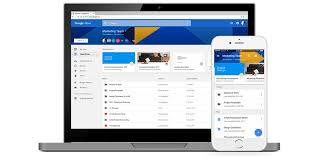
Google DriveMost file storage solutions weren’t built to handle the explosion of files that are now created and shared in the cloud — because they were initially designed for individuals, not teams. With this amount of shared data, admins need more controls to keep their data safe and teams need to feel confident working together. Team Drives deliver the security, structure and ease-of-use enterprises need by making it easy to:

  • Add new team members. You can manage team members individually or with Google Groups and give them instant access to relevant Team Drives.
  • Keep track of your files if a team member leaves. Team Drives are jointly owned by the team, which means that anything added to Team Drives stays there no matter who comes or goes. Whirlpool Corporation, for example, uses Team Drives to manage file access. Says Troy McKim, Collaboration Principle at Whirlpool Corporation, “If you place files for a project in Team Drives, you don’t have to worry about losing them or moving them when files are re-owned.”
  • Understand and manage sharing permissions. Team members automatically see the same files regardless of who adds or reorganizes them. You can also manage share permissions by defining the restrictions for editing, commenting, reorganizing or deleting files.
  • Manage and view Team Drives as an admin. Admins can see Team Drives for a user and add new members if necessary: “Team Drives also ease the speed at which a team member can onboard and become effective in their new role,” says McKim.

Team Drives are now generally available to all of our G Suite Business, Education, and Enterprise customers.

Which Cloud? Let Your “Line of Business” Apps Be Your Guide

Should your CRM, ERP, or Warehousing system guide which email service you use? Yes, and here’s why …

Many SMBs think of Office 365 and G Suite (formerly Google Apps) as an email service or collaboration tools for emails, files, and chats. Both Office 365 and G Suite are, however, collaboration suites focused on individual and team productivity. Once in place, your productivity cloud becomes the cornerstone of your cloud services and your IT ecosystem.

In deciding which cloud, your line of business systems should guide your decision. Whether you choose Office 365 or G Suite, your productivity cloud will provide the platform that your line of business systems will use to present information and that you will use to view, share, and analyze data.

Born in the cloud, G Suite is built on a cloud-centric philosophy that promotes the use and integration of cloud (ie, SaaS) business apps.  G Suite does not include CRM, project/task management, data analysis apps, or other tools.  With G Suite the expectation is that you will use the capabilities of Google Cloud Platform, other Google services, or third party apps to meet these needs.  The G Suite model centers on your picking “best of breed” or “best fit” cloud-based solutions.

While Office 365 integrates with dozens, of third party, the Office 365 philosophy is to provide an integrated suite of solutions.  Delve, Power BI, Planner, Sway, and Teams are all examples of value-add solutions that Microsoft includes in the Office 365 suite to go beyond basic communication and collaboration.  With the addition of Dynamics 365, you have many line of business, data analysis, and planning functions covered without looking to third party apps.

Where Do Your Line of Business Apps Fit in the Decision Matrix?

If your Line of Business (LoB) systems run on premise with MS SQL Server Database, will run hybrid on-premise and in-cloud, or will continue to run in a Microsoft ecosystem, Office 365 comes with the ability to connect business intelligence, data analysis, reporting, and communications tools directly to your systems.

If you are running, or moving to SaaS-based systems for LoB solutions, your business intelligence, data analysis, and reporting solutions will likely be cloud solutions as well. G Suite provides and ecosystem for pulling these together in a manner.

Both Office 365 and G Suite integrate with on-premise and hybrid cloud solutions.  Both work with many third party solutions.  But Office 365 and G Suite each have their own strengths and philosophies. While you should not be limited by your current infrastructure, the nature of your current and planned LoB systems should, therefore, be an important factor when you decide which cloud is right for you.


For a better sense of which cloud is right for you, get a free assessment and consulting session by completing our Productivity Cloud Questionnaire. The survey takes 30-40 minutes to complete. We will respond with an analysis and recommendations report, and a free Cloud Advisor session to review our findings.