Still on Windows Server 2003? Don’t Migrate, Modernize!

Sunset
If something works, why fix it?

We understand why you may still be running Windows Server 2003. For businesses with relatively simple IT needs, the benefits of moving off Windows Server 2003 has never quite justified the cost. After all, migrating means more than new hardware and a new version of Windows Server. Migrating triggers a major round of updates to other systems, such as backups, virus protection, databases, and business software.

Let’s face reality: Migrating is expensive and probably adds little or no value to your business.

Modernization Adds Value

When people remodel kitchens and baths, they do more than replacing aging appliances and cabinets with new versions of the same old stuff. People improve their space utilization, make traffic flows more efficient, add features that make life easier and more convenient, and improve aesthetics.

The same is true for IT. When you modernize your infrastructure, you have the opportunity to update how your IT supports the way you and your team work on a day to day basis.

Companies that modernize their IT, they …

  • Improve the ways in which employees communicate with each other and with customers
  • Enhance and enable collaboration and the sharing if information
  • Make work more efficient with better access to information and applications
  • Empower people to work remotely and from mobile devices
  • Reinforce efficient and improved processes

Modernization 101: Server to Service

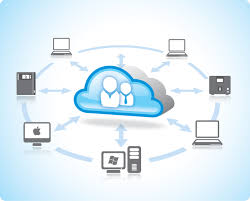
One of the most effective ways to modernize is to replace aging servers with cloud-based services.

Replacing Exchange servers with Google Apps or other cloud email services is a long-proven to reduce costs, outages, and frustration. This modernization can enhance data privacy while enabling new communication capabilities, ranging from secure instant messaging and voice calling to video conferencing and integrated mobile services.

When you move from a physical file server to a managed cloud file service, your modernization still leaves you with shared file space, control over access and permissions, data backup and recovery, and malware protection. More than lowering the cost of file storage, file service modernization  ….

  • Enables more efficient and effective sharing of files and information
  • Improves version control for files and documents
  • Delivers easy and secure access from mobile devices and remote users (without the cost and headaches of VPNs)
  • Lets users work together, in real time or not, as part of a team
  • Provides a slew of additional capabilities proven to enhance productivity

Getting Started

Just like your kitchen, your first steps in your IT Modernization are to think about what …

  • currently works,
  • could work better, and
  • new features and ideas you need or want to incorporate.

For your IT modernization, you need to look around and window-shop … get ideas and a sense of the market. As you learn about your options, think in terms of services, not things, and how you want your employees to work with one another, with your customers, and with others. From there, you can start thinking about features, design, and how you can best use new, cloud-based solutions.


If you are worried about the end of Windows Server 2003 in July, or if you are dreading a migration from aging systems to new versions of the same old solution, contact us to discuss your needs and priorities. Give us a chance to design a solution to modernize your technology, and your business.


McAfee MXLogic Update May Stop Inbound Email

McAfee
Earlier this week McAfee MXlogic added a new “Spam Flood Prevention” feature with the intent of stopping hailstorm and snowshoe style attacks that flood inboxes with email from specific IP addresses.  The feature will defer and eventually expire any more than 100 email messages per day from a single IP address.

While this sounds like an easy fix to a troubling problem, most cloud-based email services route email through a limited number of IP addresses. If you receive enough email from senders using Gmail, Google Apps, Office 365, or from senders with gateway services like Reflexion and Zixmail, MXlogic will likely block and discard legitimate messages.

And since you likely don’t know the sender’s email service, you will have no idea why, or how much, information is missing.

We recommend that you perform the following workaround steps in MXLogic:

  1. Log into the Control Console.
  2. Select Email Protection > Policies.
  3. Highlight the desired inbound policy (usually Default Inbound) and clickEdit.
  4. Click the Spam tab, which will default to the Classifications sub tab.
  5. De-select the check box for Enable Spam flood prevention.
  6. Click Save. Please allow 20 minutes for full replication of settings across the servers.

More information can be found on the following McAfee Support Article.


If you would like to reduce the time, effort, and cost of managing your email services and protecting your data, please contact us to learn more.


The End of Postini is Really Happening

The End of Google Postini is Really Happening

After nearly three years of planning, data migration, and enhancements to the spam/virus protection within Google Apps, June 15, 2015 marks the day when Google Postini email security and compliance solutions truly ceases to exist. As of the 15th, mail flow through Postini message center systems will halt.

Google Postini customers that have not updated their MX records will stop receiving email; messages will bounce back to the sender

For customer migrating from Google Message Discovery (aka Postini archiving), the MX records need to change, even if the data migration or validation processes are still active.


Have questions about Google Postini coming to an end? Contact our service team for help.


Don’t Lose It, Use It (for PD)

Mobius TPD Icon
June has arrived and the 2014-2015 school year is almost at a close. Now it is time to turn our attention on the summer and beyond. As the next academic year approaches, it’s important to consider how to continue improving the classroom experience and incorporate techniques that appeal to a wide range of learning styles.

As always, here at Cumulus Global we are ready and excited to help with any technology needs you might have, but we are sensitive to the fact that budget can be an issue. So, to celebrate the end of this school year and to welcome in the next, we are offering special pricing on our Professional Development and Training services.

For a limited time, you can save money with prepaid professional development services.

20% off on-site or live web training sessions

  • Full Day On Site Training – $1995 now $1,596
  • One Web-Based Session – $695 now $556
  • Series of Three Web-Based Sessions – $1925 now $1,540
  • Series of Six Web-Based Sessions – $3,500 now $2,800

10% off our Professional Development planning services

  • Basic Professional Development Plan – $995 now $895
  • Full Professional Development Plan – $1,995 now $1,795

A great opportunity for surplus funds, you can use your prepaid services anytime during the 2015/2016 fiscal year (subject to availability of a Certified Google Apps for Education Instructor).

For more information or to discuss your options, please contact us or fill in the form, below.


Cloud Computing Services in Decatur, Georgia

Cloud Computing Services in Decatur, Georgia

Responding to the continued increasing demand for business-effective cloud solutions and professional services, Cumulus Global (www.cumulusglobal.com) has opened an Atlanta-area office. Our cloud computing services in Decatur, Georgia will be adding to our Boston area headquarters and regional office in New York. The regional office located in Decatur, GA will focus on the Southeast and Southern regions, in addition to supporting Cumulus Global’s sales and service efforts throughout the US and Canada.

“While the nature of cloud computing enables us to work with businesses regardless of geography,” notes Allen Falcon, CEO of Cumulus Global, “our Atlanta area office brings us closer to our customers and the business communities we serve with our managed cloud services.”

Growing Cloud Adoption Drives Southern Expansion for Cumulus Global in Decatur, Georgia

Cumulus Global has seen rapid growth over the past few years, landing at #349 on the 2014 Inc. 500 list of Fastest Growing Private Companies in America. A Google (GOOG) Premier Partner, Cumulus Global helps small and mid-size businesses leverage Google for Work and other cloud solutions to achieve their business goals and objectives.

“We always start with our clients’ needs and priorities,” stated Falcon. “We then research, design, and build the cloud solution that fits best. In addition to offering standard packages for basic needs, we mix-and-match products and services to create custom solutions — even if that means referring a client to a solution we do not sell. We’re really looking forward to offering our cloud computing services in Decatur, Georgia”

This level of service has helped Cumulus Global maintain some of the best customer satisfaction and retention rates in the industry. Give our cloud experts a call in Decatur, Georgia today, and take advantage of a free cloud computing consultation.

Top Cloud Services to Take Advantage of in Decatur, GA

In IT, Every Season is Hurricane Season

Hurricane
June 1st is the official start of Hurricane Season for North America. Every year, we hear predictions for the number of storms and the number of major storms expected to hit landfall here in the U.S. And yet, every year we seem to over-prepare for storms that never become a major problem and under-prepare for storms that become truly dangerous.

Such is the life for IT Hurricanes

Unlike physical hurricanes that can cause power and system outages, IT “Hurricanes” are climate changes that impact your business, and its IT needs and priorities.

As with physical hurricanes, IT Hurricanes often start out as smaller disturbances that are seen and identified well in advance. Some lose their energy and dissipate, some get carried off by changing currents, and some turn into storms.

Even with the advanced notification, dare I say warning, we often struggle to assess the size, scope, and impact of IT Hurricanes until just before they are about to hit. All too often, IT Hurricanes gain unexpected power and momentum as they approach landfall. Decisions on how best to prepare are often made too late for effective planning and execution, leaving IT staff scrambling to mitigate the impact and repair the damage.

For many businesses, our infrastructure and systems are not well-prepared to withstand IT Hurricanes. They are too rigid to adapt to changing winds and tides, too difficult to move to a safer place, and/or unable to withstand the tidal surge of change forced upon us.

Look to the Cloud for a Better Way

Rather than just focusing on improving our warning time and how well we can predict the direction, size, and strength of IT Hurricanes, we should create IT infrastructure and systems that can adapt to changing conditions more easily, with less time required.

Moving to cloud solutions can …

  • Simplify your IT infrastructure — your network and systems — making it easier and less expensive to adapt to changing currents
  • Reduce the amount of capital captured in physical assets with sunken costs that resist change
  • Let you raise or lower you capacity and utilization as needed to ebb and flow with the tide of your business
  • Add, or modernize, applications and systems without having to airlift in a solution
  • Improve mobility, so your team members are never displaced by geography or device
  • Provide a platform, that lets you create an IT ecosystem for your business focused on the future and not the past

While cloud computing cannot prevent IT Hurricanes, cloud solutions can help mitigate the impact and make it easier for you and your business to adapt and respond. After all, staying ahead of the storm is better than having to pick up the pieces.


Using the Google Apps for Work ecosystem, our CumuluSuite packages provide cloud computing platforms that are easily customized to keep you out of the storm.  Contact us to learn more.


Businesses Should Consider Chromebooks — Gartner

ASUS Chromebook
In a May 21, 2015 release looking at the global Chromebook market, Isabelle Durand of Gartner sees Chromebooks as a viable option for SMBs and startups.

Noting that in less than 4 years, Chromebooks have garnered just over 60% of the US Education market and close to 39% of the consumer market. Business adoption of Chromebooks in the US remains low at just over 1% market share.

Durand, sees Chromebooks a cost-effective solution for SMBs and Startups, as well as larger enterprises. for SMBs, she states, “Chromebook is a device that can be considered by SMBs or new startup companies that do not have the resources to invest too much in IT infrastructure.”

The opportunity for larger enterprises is different, as users need access to new web-based applications as well as legacy systems.  Durand notes that unless specific applications force a Windows decision, “Chromebooks will become a valid device choice for employees as enterprises seek to provide simple, secure, low-cost and easy-to-manage access to new web applications and legacy systems.”

This may already be proving true in other parts of the world, as Chromebooks hold 16.5% of market share in the Asia/Pacific region as defined by Gartner.

Across our customer base, we note that Windows-specific application needs are often limited to specific, small groups of users. Most users are willing and able to move fully to Google Apps.

In these instances, we move most users fully to Google Apps for Work and provide virtual MS Windows desktop to those users with Windows-specific applications.  This solution creates an affordable environment that allows all users to work efficiently without overbuilding infrastructure. It also creates an opportunity to replace aging desktops and laptops with Chromeboxes and Chromebooks, dramatically reducing the total cost of ownership for end user devices.


If you would like an analysis of your environment to see how Chromebooks may benefit your users and your bottom line, please contact us.


Why Google Changed the Mobile Search Game

mobilegeddon
Guest Post: Matt Ward
President/CEO of inConcert Web Solutions

In case you are not aware, Google changed the game on April 21st as it pertains to search results on mobile devices.  Having announced the changes in February, mobile search results give preference to sites that are mobile friendly.

To be frank, Google rarely ever tells the public that there will be an update.  They are very secretive about their algorithm, keeping their secret sauce a secret to prevent anybody from “gaming” the algorithm. With these changes, Google clearly wants businesses to use best practices.  Google stated that they made these changes to improve the overall user experience on mobile devices, as mobile is becoming increasingly the method by which users access the internet and search for goods and services.

Fact and Fiction

With all the hype about “mobilegeddon”, let’s separate fact from fiction.

  • Fact:
    • They set the date, and rolled out the new algorithm on April 21st
    • They created a huge buzz
  • Fiction:
    • Your site will be banned from Google
    • This change also affects the desktop search
    • Google will call you to sell you and upgrade

Best Practices

Needing to make sure your site is mobile-friendly, let’s talk about a few best practices:

  • Contact your current web developer and ask questions about your site and any changes that have been, or should be made.
  • Don’t rely on cold calls from strangers to guide you on this change.  There are a lot of self-proclaimed “experts” calling into companies with no knowledge of their websites. These are typically automated robo-calls that imply that Google is calling. Google is not going to call you about updating your web site.
  • Test your website to be sure its mobile-friendly.
    • If it passes, great!
      • Test your site again every quarter.
      • Things change in mobile devices and technology; don’t assume if you test it once, it’s not going to ever change.
    • If not, focus your web efforts on getting your site converted.
      • It may cost less to produce a new, mobile-friendly website than to convert your existing site.
      • There are many paths to a mobile friendly site.  The cheapest path is not always the most cost-effective.
    • Focus your mobile-friendly version on driving calls to action, either clicks or calls.
      • Most site visitors on cell phones want to click and call a business, which is often easier then web surfing on a small screen.
      • Make sure you menu structure is clean and easy to follow.
      • Your most important information and calls to action should show up first

With some testing and updating, you can ensure that not only will your site be found by Google’s mobile search, but that visitors will enjoy visiting your site.


If you want to speak with an expert, please contact Matt and his team at inConcert Web Solutions. Specializing in web design & development, maintenance & marketing plans, and print & promotional services, the team at inConcert will gladly help you choose the best approach for your site and your business. 


Navigating Cloud App Customer Issues: Common Concerns

Cloud SharingThe cloud is a great way to securely share information with customers, vendors, and business partners. Most productivity tools are relatively inexpensive, easy to set up, seem easy for your customers to use, and adequately secure. For many of these services, your customers access the data you are sharing by creating a free account on that service. This seemingly harmless step, however, can be the source of problems. Make sure you understand the top cloud app customer issues and address them before they cause problems for your business.

How Cloud App Sharing Solution May be Punishing Your Customers

Using a cloud solution that requires customers (or others) to create a free account will, in many instances, cause problems for your customers.

  • Free Accounts are Never Really Free. When your customer sets up their free accounts, your vendor has gained a new “customer.”  Expect the vendor to start marketing to your customers in order to sell them upgrades to paid versions.  Your vendor will likely add your customers to their newsletter and update notice lists.

Sharing a file should not create an email headache for your customers.

  • Your Customer May Need to Help.  Many cloud-sharing services require, or encourage via default prompts, the installation of browser and desktop extensions, applications, or services. If your customer uses a managed computer, she may not have the rights to install the necessary widget to access the shared data.

Your customer should not need help from
IT to open a shared file or a secure email from you.

  • You Can Break Your Customers’ Computers. Even if the necessary extension, application, or service can be installed, your cloud app may break their computers. If the extension, application, or service conflicts with other software or services on your customer’s computer, you have created a problem that can be time-consuming to figure out and resolve.

Reading a shared file and secure email should not cause system problems.

  • Not Everybody Wants More Software.  A customer of ours once asked if he would need to install anything to view a file we were about to share. He pointed out that he currently had 4 apps for accessing shared file services, 1 app and 2 browser extensions for reading secure emails, and 3 web meeting clients installed on his system — non of which his company uses. Once every few weeks, he spends time uninstalling these “helpful tools” to keep his system free of clutter.

A shared file or secure email should not require a system cleanup.

The biggest issue with all of the above scenarios is that they disrespect your customers’ time by creating inconveniences or problems. Doing business with you should be easy.

When picking cloud solutions, such as file sharing and secure email services, look for systems that do not require (or prefer by default) your customers to setup accounts or install software of any type. Unless your customer agrees to that type of solution (such as accessing a project management system), you are potentially creating problems and annoyances that can change your customer’s perception of you and your business.

FAQs About Cloud App Customer Issues


Feel free to contact us if we can help you evaluate your options and solutions.


Atmosphere | The Anatomy of Innovation

Chrome Live
Join us on June 2 for Google’s
biggest digital work event

Atmosphere | The Anatomy of Innovation


What do innovators all have in common? A drive to disrupt the ordinary. At Atmosphere, Google and IT industry experts will reveal what sparks innovation, what kinds of tools truly support it, and how you, your team, and your entire organization can bring a greater level of innovation to your work. Discover how to make it happen.

Register today to take part in our digital event on June 2 at Noon ET.

First, we’ll dissect the current state of work to understand motivations and driving factors of innovation, then we’ll pinpoint ways you, your team and your business can truly become innovators.

After, we’ll let you can choose between 2 instructional tracks:

  • How to collaborate better and build and inspire innovative teams
  • How to give employees the tools to innovate while keeping your company safe

Know anyone else who would be interested in tuning in? Let them know about Atmosphere.