
7 Remote User Support Best Practices

As our workforce and working style continue to be more mobile, more small and mid-size businesses are facing the challenge of supporting remote offices and mobile users. These remote workers may be flying solo in home offices, co-working spaces, or shared office suites, or may be part of larger remote sites. Whatever the scenario, proper remote user support combined with a strong remote work strategy for your business is vital.
While the adoption of cloud solutions can simplify remote user support, these 7 tenets can save you time, money, and aggravation.
- Security
Beyond strong passwords, ensure that the work of your remote users is as secure as those working in the office. This means providing secure access via company-managed applications and services (not personal apps), encrypting any local data when appropriate, and making sure machines and devices are physically secure. - Automation
Whenever possible, tap automated solutions or managed cloud security systems for distributing software, updates, and services. Strong remote users support systems include centrally managed IT services that can save you time and money, prevent mistakes or missed updates, and remove an IT burden from individual users. - Upgrades
Create a policy with respect to upgrades and new IT apps and services, and back the policy with responsiveness to end user needs. Your remote workers will find and install personal apps that help them do their jobs, which may or may not be in sync with your company’s needs or requirements, and can lead to data loss and other liabilities. Ensure your employees understand that you look at upgrades and new tools regularly and are open to vetting their suggestions. If you don’t or won’t provide a solution, they may move forward without you, and at your peril. - Preventative Maintenance
For users running on Mac OS, Windows, and other legacy operating systems, scheduling preventative maintenance (PM) will avoid performance problems and prevent failures that can cost you much more time and money. Verifying that systems are up to date, defragmenting disks, and replacing aging equipment on a regular schedule will keep your team happy and productive. PM also gives you an opportunity to confirm users are complying with company standards and policies, and to dispose of aging equipment before it becomes clutter. - Point of Contact for Remote User Support
Every remote worker should have a clear point of contact for technology issues and support. In addition to helping with questions and problems, the point of contact should serve as an advocate for remote users’ needs and a resource for orienting and training new staff on your policies and procedures. While larger remote sites may have an on-site point of contact, they can be remote and effective. - Communications
Think beyond providing remote users with high speed network access at their desks. Remote users need fast, reliable, and unified communications while mobile. And, communications go beyond connecting devices. Remote users need voice, fax, and conferencing capabilities that are as seamless (if not more so) than those working in the main office. Customers should not need to know that somebody is remote as services should work transparently. Ease of use is key to avoiding frustration. - Repair and Replace
Stuff breaks. Have a plan in place for local repairs or fast replacement. Spending a day figuring out how to repair or replace a broken device does nothing more than create a day of lost productivity.
Regardless of your technology infrastructure, these 7 tenets provide a framework that will enable your remote and mobile workforce to succeed without burdening them with informal IT responsibilities.
In today’s dynamic work environment, remote user support has become an invaluable resource for businesses seeking efficient, timely, and cost-effective IT assistance. By embracing remote support technologies, organizations can ensure that their workforce remains empowered, productive, and connected, regardless of their physical location. With the right tools and expertise in place, remote user support plays a pivotal role in driving seamless digital experiences and maintaining smooth operations for businesses of all scales.
Top File Sync and Share Cloud Services and Best Practices
 File Sync and Share Cloud Services
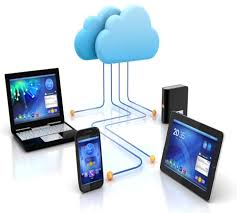
One of the most popular cloud applications for small and mid-size enterprises is file sync-and-share. File Sync and Share (FSS) cloud services, also known as cloud storage and file sharing services, are online platforms that allow users to store, synchronize, and share files and data across multiple devices and with other users. These services are designed to provide a seamless and efficient way to access and manage files from anywhere with an internet connection.
It makes sense: people need to share files, and most file sync-and-share services are easy to install and use. If not properly managed, however, file sync-and-sharing can result in data breaches and loss and can place your company in legal jeopardy. To minimize these risks, we recommend all businesses enact a simple set of policies that are easy to communicate, explain, and follow.
8 of the Best File Sync and Share Cloud Services
- Dropbox: One of the pioneers in the cloud storage industry, Dropbox allows users to store and share files, collaborate on documents, and synchronize data across devices. It offers various plans for personal and business use.
- Google Drive: Provided by Google, Google Drive offers a generous amount of free storage space and integrates seamlessly with other Google services like Google Docs, Sheets, and Slides for real-time collaboration.
- Microsoft OneDrive: Integrated with the Microsoft Office suite, OneDrive is designed to work smoothly with Microsoft products, making it an excellent choice for users who heavily rely on Office applications.
- Box: Box is primarily focused on business and enterprise users, providing robust security features and collaboration tools tailored for corporate environments.
- Apple iCloud Drive: Geared toward Apple users, iCloud Drive enables seamless synchronization of files across macOS, iOS, and Windows devices.
- Amazon Drive: Amazon Drive is part of Amazon’s suite of managed cloud services and offers a straightforward cloud storage solution for individuals and businesses.
- Sync.com: Known for its strong emphasis on security and privacy, Sync.com provides end-to-end encryption and compliance with various privacy regulations.
- pCloud: pCloud is known for its client-side encryption and the ability to extend storage by linking multiple accounts.
These services typically offer a certain amount of free storage space, with the option to purchase additional storage through subscription plans. They often include features like file versioning, selective synchronization, sharing controls, and collaboration tools to enhance productivity.
When choosing a File Sync and Share cloud service, consider factors such as storage capacity, security measures, compatibility with your devices and operating systems, collaboration features, and pricing options. Also, be aware of the terms of service and the provider’s approach to data privacy and security to ensure that it aligns with your needs and requirements.
Best Practices: Policies for Using File Sync-and-Share Services
To make the most of File Sync and Share (FSS) cloud services while maintaining security and efficiency, consider implementing the following best practices:
- Employees may use file sync-and-share services, provided they have an business need to do so, use only company approved and managed services, and adhere to company policies.
- Only company approved services should be used for file storage and sharing; employees may not use free, consumer, or public apps or services.
- Employees must keep their usernames and passwords for file sync-and-share services secure, and must manage these passwords in accordance with company policies.
- Only relevant business information may be stored are shared using the company’s file sync-and-share services.
- Unless otherwise instructed, file sync-and-share services are intended for temporary sharing of files. Original versions of files should reside on company file servers or services.
- Access to files should be removed, particularly by external parties, when no longer necessary.
- Copyrighted, private, or secure information should only be shared if both the sender and recipient are authorized to view and/or use the information. This information should be encrypted by the file sync-and-share service, or a separate tool, before it is shared.
- The company’s file sync-and-share services are subject central administration and management, including access controls and permissions.
- Use of the company’s file sync-and-share services is subject to all relevant company policies regarding professional and personal conduct. The company’s file sync-and-share services are subject to company monitoring in accordance with company policies.
With these policies in place, you can provide employees with vetted file sync-and-share services that both meet employees’ needs to share and collaborate, while protecting your data, your regulatory compliance, and your business.
Cumulus Global Joins the Small Giants Community

Cumulus Global joins the Small Giants Community, further demonstrating the company’s commitments to its core values and mission. In joining the Small Giants Community, the leadership team at Cumulus Global recognizes that a relationship exists between a company’s culture and its success.
“We have seen rapid growth over the past several years,” notes Allen Falcon, CEO of Cumulus Global. “We remain conscious that as we focus on serving our customers, we need to ensure we do not lose our identity as an organization.”
The Small Giants Community helps small and mid-size enterprises develop the six characteristics of quality that lead to success:
- Develop Exceptional Leaders
- Invest in Your Community
- Build Strong Relationships
- Create a Great Culture
- Inspire Passion
- Drive Long-Term Profit
While Cumulus Global continues to receive industry and business recognition for its services and growth, the company strives for greatness over size. In doing so, the company is looking beyond its internal operations to its relationships with vendors, customers, and the communities it serves.
“The IT industry is inundated with mediocrity, with service providers willing to do just enough to win your and keep your business,” notes Falcon. “We are striving for more. We want to be the company that you want on your team, that you trust, that you admire.”
About The Small Giants Community
The Small Giants Community champions the importance of the Return on Values business model and serves to: create a practitioner driven learning experience and community; establish a body of knowledge to support and develop adopters, and influence the business community through media, thought leaders and academia.
Expanding HIPAA Accountability
As more businesses provide health care coverage, or assist employees in obtaining coverage, under the Affordable Care Act, we find ourselves possessing and managing even more sensitive personal information about our employees. And, while we are not working with medical records, per se, we are often exposed to insurance account and activity information that cannot be disclosed.
Communications with your insurance broker or carrier should be secure — from end to end.
The good news is that you have options.
- Policy-Based TLS Encryption
- If your broker or carrier is willing to share some technical info, you can setup policy-based TLS encryption that will forcibly encrypt all emails between your email service and theirs.
- They will likely need you to prove, or certify, that you encrypt data from your email service to your end users on every platform.
- Policy-Based TLS Encryption is part of Google Apps, but not every email service is capable.
- This is the lowest cost, but most technical solution.
- Manual Encryption Tools
- Third party apps, like Virtru, let users encrypt email messages before they are sent.
- They are inexpensive and easy to use, and can also track when messages are opened or forwarded.
- They are NOT foolproof, as they depend on users knowing what must be encrypted and remembering to do so — every time.
- This is the lowest cost solution, but most susceptible to an accidental breach.
- Automated Encryption Tools
- Integrated email encryption solutions, like Zixmail, give users the ability to flag messages for encryption.
- They also use heuristics to scan all email traffic, identifying those that should be encrypted and doing so automatically.
- While slightly more expensive, these tools effectively monitor policy compliance and mitigate your risks.
Select the type of encryption solution you need, based on how your business operates and who is responsible for keeping information private.
Unlike many providers, we offer each type of email encryption service on a per-user basis. Most businesses have a limited number of staff working with sensitive information; we can provide these users with encryption services. Our approach provides the protection you need and respects your budget and priorities. Contact us to learn more.
Embracing the Cloud: Unlocking the Top Benefits of Migrating from On-Premise Infrastructure
 Moving from on-premise to the cloud can offer numerous benefits for businesses and organizations.
Most of the businesses, nonprofits, and local governments we help move to cloud platforms see both tangible and intangible benefits shortly after deployment. Whether they focus on improved availability and reliability, easier secure access to files, lower capital expenditures, or the benefits of improved collaboration and access to video conferencing services, very few businesses regret the move.
Top Benefits of Moving From On-Premise to Cloud
- Cost Savings: Cloud services eliminate the need for upfront capital expenses on hardware and data center infrastructure. Instead, businesses can opt for a pay-as-you-go model, where they only pay for the resources they use. This cost-effectiveness can significantly reduce IT expenses and is among the top benefits of moving from on-premise to cloud.
- Scalability: Cloud providers offer the ability to scale computing resources up or down based on demand. This flexibility allows businesses to handle fluctuations in traffic, application usage, and storage requirements without the need for overprovisioning or hardware upgrades.
- Accessibility and Mobility: Cloud services enable access to data and applications from anywhere with an internet connection. This accessibility fosters remote work, collaboration and enhances productivity as employees can work from various locations and devices.
- Data Redundancy and Reliability: Cloud providers often have multiple data centers across different regions, ensuring data redundancy and high availability. This minimizes the risk of data loss due to hardware failure or disasters.
- Security and Compliance: Reputable cloud providers invest heavily in security measures and comply with industry-specific regulations. They often have dedicated teams to monitor security threats and implement robust data protection practices. This is another key benefit of moving from on-premise to the cloud, as it provides essential resilience and continuity for a business.
- Automatic Updates and Maintenance: Cloud services take care of software updates, security patches, and system maintenance. This frees up IT staff from routine tasks, allowing them to focus on more strategic initiatives.
- Faster Deployment: Cloud infrastructure can be provisioned and deployed quickly, speeding up the time-to-market for applications and services.
- Innovation and Access to Advanced Services: Cloud providers frequently introduce new services and technologies, empowering businesses to leverage cutting-edge tools without investing in research and development.
- Global Reach: Cloud services have a global presence, enabling businesses to expand their operations to new markets and serve customers worldwide with reduced latency.
- Environmental Benefits: Cloud computing can lead to reduced energy consumption compared to on-premise data centers, as cloud providers optimize data center operations at scale.
- Business Continuity and Disaster Recovery: Cloud services often include robust backup and disaster recovery features, ensuring data resilience and continuity in the face of unforeseen events.
- Collaboration and Workflows: Cloud-based collaboration tools facilitate seamless teamwork, enabling employees to share and collaborate on documents in real-time, enhancing productivity.
- Competitive Advantage: Adopting cloud technology allows businesses to stay agile and respond quickly to market changes, gaining a competitive edge over competitors still reliant on traditional IT infrastructure.
Other Indirect Advantages of Shifting from On-Premise to Cloud Solutions
Many organizations do not look beyond the scope of their cloud implementation for other, indirect or subsequent benefits. Cloud migrations often create opportunities for additional IT simplification that can improve the users’ experience as well as further lower costs.
Most common across our customer base is the ability to simplify wide area networks. Organizations with multiple locations rely on wide area networks to connect offices, servers, and people. We see several common architectures, each with limitations.
- Centralized servers require all users not at the server location to access data remotely, at lower speeds.
- Distributed servers provide performance, but require more complicated backup solutions and/or data synchronization.
- Spoke and hub networks connect all sites, typically over leased/dedicated lines. Bandwidth between sites is limited and relatively expensive, with a single path (or, hopefully, redundant paths) to the Internet.
- MPLS (Multi-Protocol Layer Switch) networks provide a managed network, better security, and greater Internet bandwidth, but still rely on leased/dedicated bandwidth to the carrier.
- Lan-to-Lan and PC-to-LAN VPNs can securely connect machines and sites over private or public lines, but VPN services add overhead that hurts performance, increases admin costs, and makes it more difficult for users to connect.
When files and other data are centrally located in the cloud, you can simplify your wide area networks and lower costs.
Because your data is centrally located, you may no longer need point-to-point connections between your offices. Replacing point-to-point, VPN, and MPLS links with Direct Internet Access Links can have up to a 100X benefit, as many carriers can provide you with up to 10x the speed at as little as 1/10th the cost. At these price points, building in redundancy is affordable and can protect your businesses from carrier outages.
As you move to the cloud from on-premise software and infrastructure, reassess the role of your wide area and Internet links. Simplification and modification of your architecture can save you time, money, and overhead, while providing faster, more reliable service.
If you would like to review your network for opportunities, or discuss the potential benefits from moving to the cloud, please contact us for a no-obligation discussion.
Our First eBook: 7 Policies for Every Company Using Drive
We are please to announce the launch of our new eBook series with the publication of 7 Policies for Every Company Using Drive. Based on one of our most popular 3T@3 Webcasts, this eBook discusses information privacy and security issues and policies that should be in place to protect your customers, your information, and your business.
Our new eBook series is part of our growing suite of resources intended to help educate and inform on topics related to Cloud Computing for Small and Mid-Size Businesses.
Click here to access the eBook.
Chrome for Meetings Grows Up

Chrome for Meetings has given organizations an affordable, effective way to integrate HD video conferencing services. This week, Chrome for Meetings grows up with the addition of a hardware bundle designed for larger conference rooms.
Designed for rooms with up to 24 people, the new bundle includes:
- Pan-Tilt-Zoom Camera
Enjoy professional video quality with the USB-enabled 1080 HD PTZ camera - Dual Microphone/Speaker
Capture conversations in longer rooms with an additional mic and speaker - Dual Connections
Connect two monitors to the PTZ camera and dual microphone/speakers, for the richest video conferencing experience
Pricing starts at $1,999, inclusive of the first year management and support fee of $250.
Contact us for more information, to arrange a demo/trial, or obtain a quote.
Google for Nonprofits is Global
 Did you know?
Google’s programs and products for non-profits are available to non-profits and non-governmental organizations across the globe.
This Google for Nonprofits support article lists and provides links to all programs for available for non-profits by category and by country.
If your nonprofit would benefit from guidance or assistance moving to Google Apps for Nonprofits, please let us know.
Cloud File Services: How to Define Their Role and Manage Data Better

What Are Cloud File Services?
Users can store, access, and exchange files and data via online platforms known as cloud file services, also referred to as cloud file storage or cloud-based file sharing services. Without the use of physical storage devices or on-premise servers, these services offer a practical and effective solution to manage files from numerous devices and places.
Cloud file services can fill many different roles for your business. Often, the use of cloud file services begins with employees using consumer products, like Dropbox, to share files with customers and each other. While sync-and-share can be an effective way to manage files, you should always rely on the business editions to ensure that the business is in possession of, and is managing, your data.
That said, this use of file sync-and-share tends to be transient in nature. At the other end of the spectrum, many businesses are replacing on-premise servers, NAS, and SANs with cloud file services, which become the primary file service.
To help you plan how to create the best cloud file service for your business, consider these working definitions and considerations with respect to data protection and management.
Define the Role of Your Cloud File Service
Transient File Service
- Transient file services are used occasionally for storage and sharing of files.
- Often a sync-and-share service (Dropbox, box.net, etc) or a peer-to-peer service (Drive, etc.), files are copied to the file service and shared.
- In most cases, files sync back, or are manually copied, to their primary location. As the primary location for files is protected by backups and permissions management, transient file service generally don’t need or have backup protection.
- Permissions management is often the responsibility of the individual users. As such, transient file services should not be used for sensitive or protected (PHI, PCI, etc) information.
Secondary File Service
- A Secondary File Service will fill the role that the Transient File Service provides, but will also be the home — the system of record — for some information.
- Companies create Secondary File Services to handle information that is used collaboratively, but wants to keep internally-used data and critical business information in-house. An architecture firm, for example, might have active projects residing in a cloud file storage service while keeping past project data and internal operations (HR, finance, accounting, strategy) on in-house systems.
- While sync-and-share can serve the needs of secondary file server, peer-to-peer and managed file services provide better control over your data.
- As a Secondary File Service will be the system-of-record for important information (i.e., the data is not synced or copied to other storage), these file services should be protected by Backups.
- Secondary File Services may or may not be used for sensitive or protected information. If they are, then active permissions monitoring and management is advised to prevent inappropriate disclosures, leaks, or breaches.
Primary File Service
- A Primary File Service becomes the system of record for most, if not all, of your company’s files and data. As such, the cloud file service will hold sensitive and protected data. Access, permissions, and protection are as critical in the cloud as they are on-premise.
- Backup/recovery and active permissions management become critical components for ensuring data reliability, security, and privacy, and may be required for regulatory or industry compliance.
- While smaller businesses can use the peer-to-peer, larger businesses or those with larger numbers of files find that a managed and structured file service works better.
- Centralized ownership and control over permissions improves security and efficiency.
- Sync-and-share services may still be used to support off-line work, but should be managed closely to ensure sensitive and protected data remains secure.
Hybrid File Service
- A Hybrid File Service exists when the Primary File Service is split between on-premise servers and cloud-based file services. A Hybrid File Service differs from the use of a Secondary File Service in that the Hybrid File Service sees both on-premise and in-cloud as equal components of the ecosystem. Data location is based on access needs and usage rather than on the type of data.
- For some organizations, Hybrid File Services represent a transition period from on-site to cloud file services. For others, Hybrid File Services reflect a broader hybrid cloud strategy that mixes SaaS and IaaS services with on-premise systems.
- As Hybrid File Services create a cloud-based extension of on-premise servers, a managed file service with central ownership and permissions control is most often the best structure.
- With a Hybrid File Service, the cloud component requires backup/recovery and permissions protection on-par with your in-house servers.
By understanding and defining the role of your cloud file services, you have a better understanding of the type of managed cloud services to use — sync-and-share, peer-to-peer, or managed file services. You can also best determined the level of backup/recovery, access, permissions, and encryption you want and need to meet your business’ needs and any regulatory or industry requirements.
